Introduction
NOTE: Before using this module, you must log in to the MUMP portal. For FAQs related to the Sign-In/Sign-Up process, please refer to the provided documentation or support section Sign-in/Sign-up Process
1. How to download eMIDAS Pro
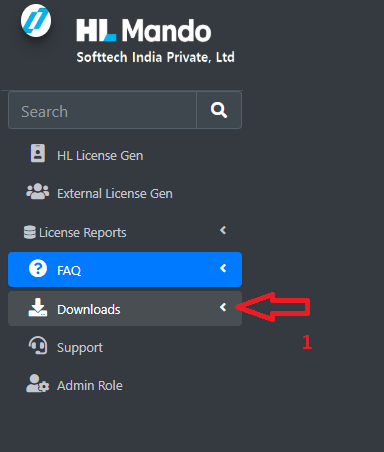
Step 1: First, click on the Downloads tab, indicated by arrow number 1. After that, follow Step 2.
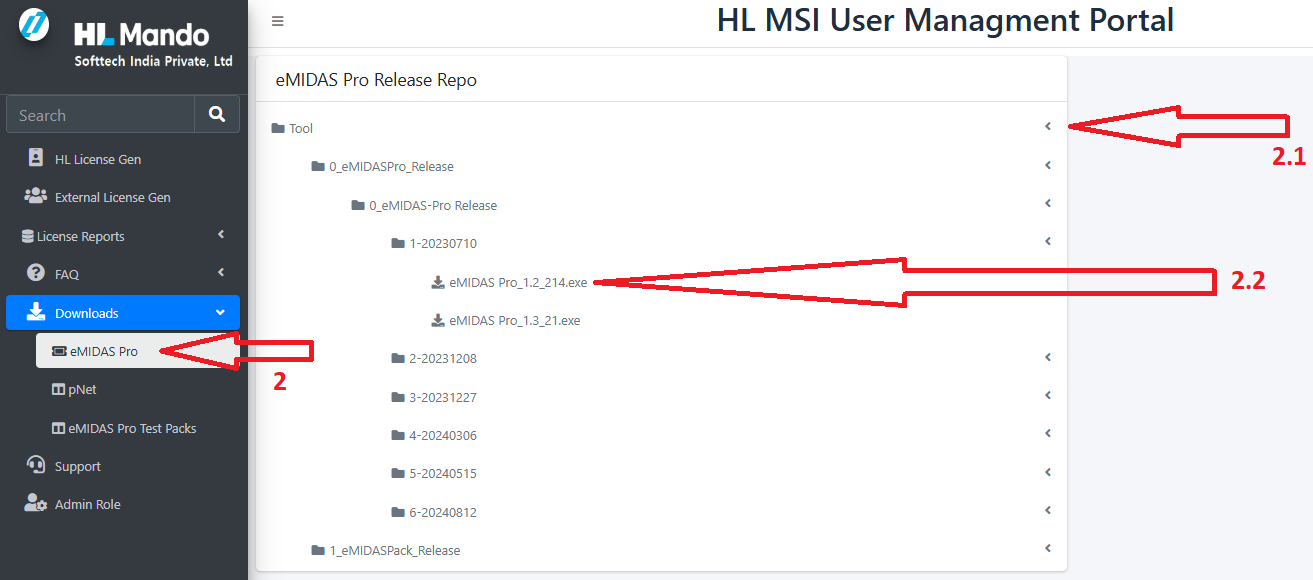
Step-2: Click on arrow number 2 there after you will see the arrow number 2.1 and 2.2
Click on arrow number 2 to expand the folders. Inside the folder, you will find the downloads link, which is indicated by arrow number 2.2.
By clicking on arrow number 2.2, you will get the downloaded pack.
2. How to download pNet
Step 1: First, click on the Downloads tab, indicated by arrow number 1. After that, follow Step 2.
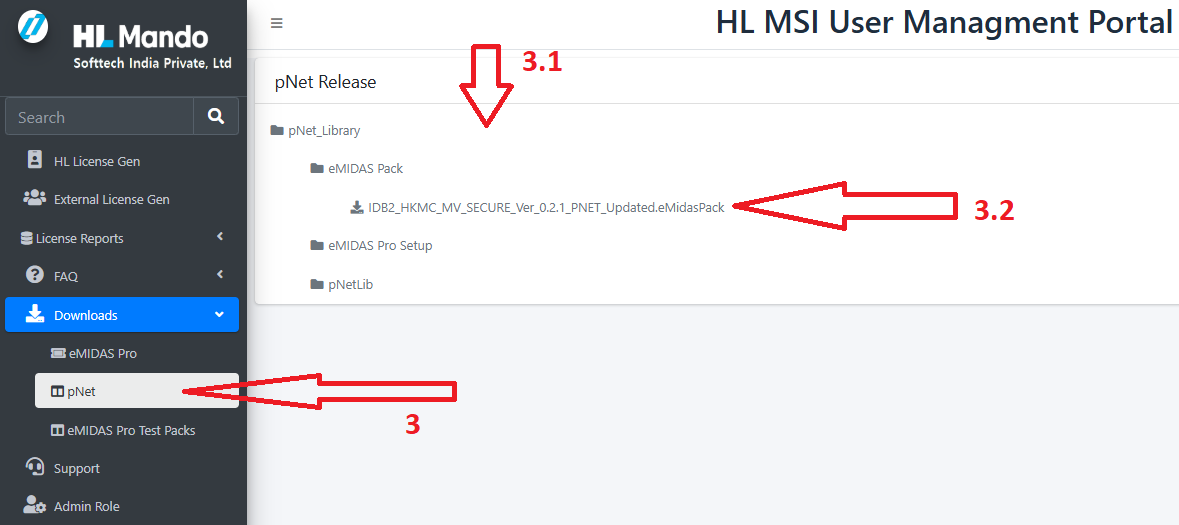
Step-2: Click on arrow number 3 there after you will see the arrow number 3.1 and 3.2
Click on arrow number 3 to expand the folders. Inside the folder, you will find the downloads link, which is indicated by arrow number 3.2.
By clicking on arrow number 3.2, you will get the downloaded pack.